
Build visually
Add objects from a library or by drag and drop, then move, copy, rotate and resize them.
Pamaglawe combines visual configuration, operator controls, plant communication and project-based warehouse management in one desktop application. Process screens can be simulated or connected to devices using direct Modbus TCP, Siemens S7/Moka7, OPC UA and a local Connect bridge.
Images currently show the German version. The help articles are also available in English.
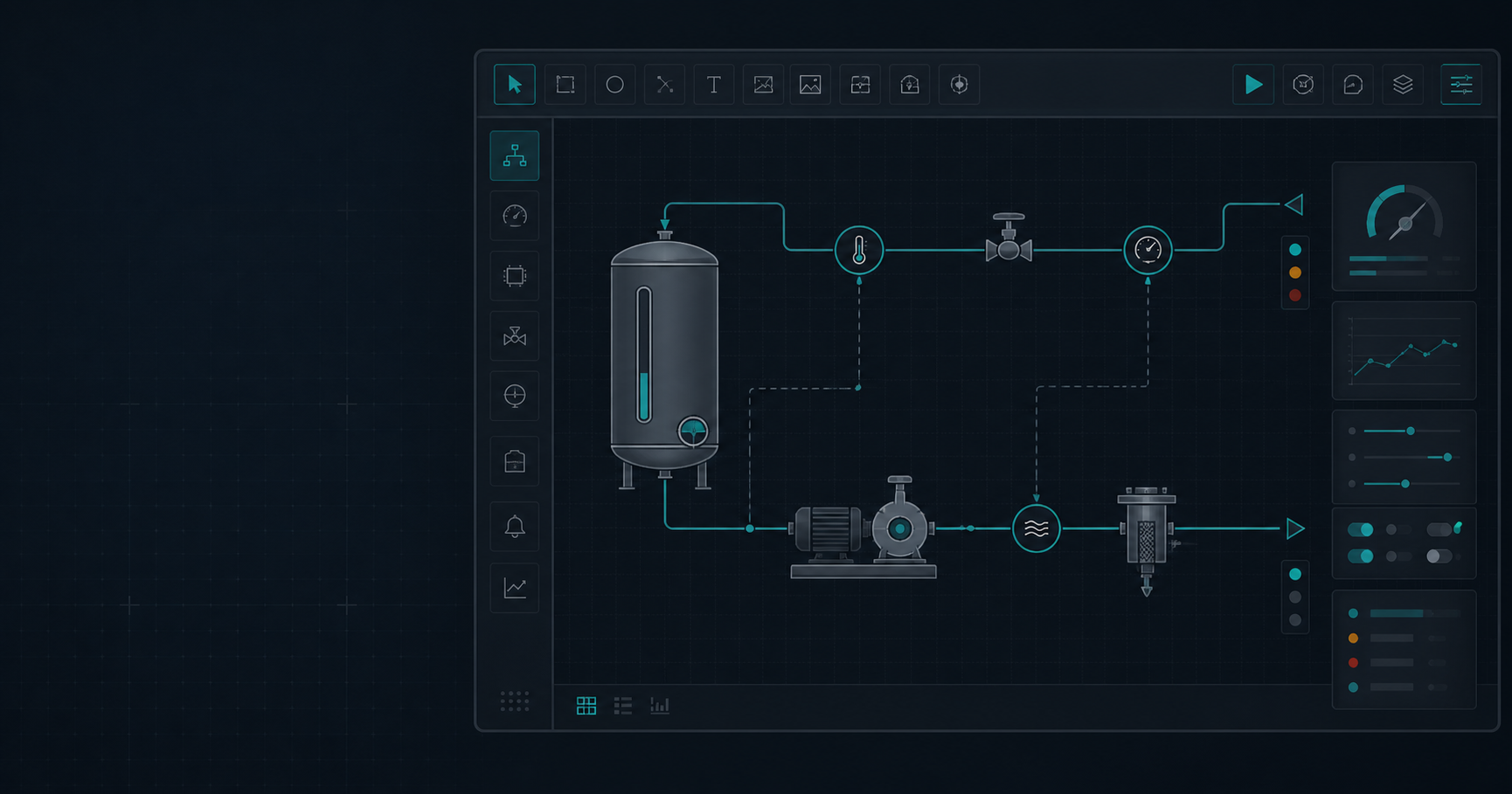
Create pages and detail windows, place process objects, assign variables and test the result in simulation or with the appropriate device driver — all in one workflow.
Add objects from a library or by drag and drop, then move, copy, rotate and resize them.
Configure states, variables, formulas, alarms, controls, permissions and languages.
Switch directly to Play mode and monitor the status of each communication path.
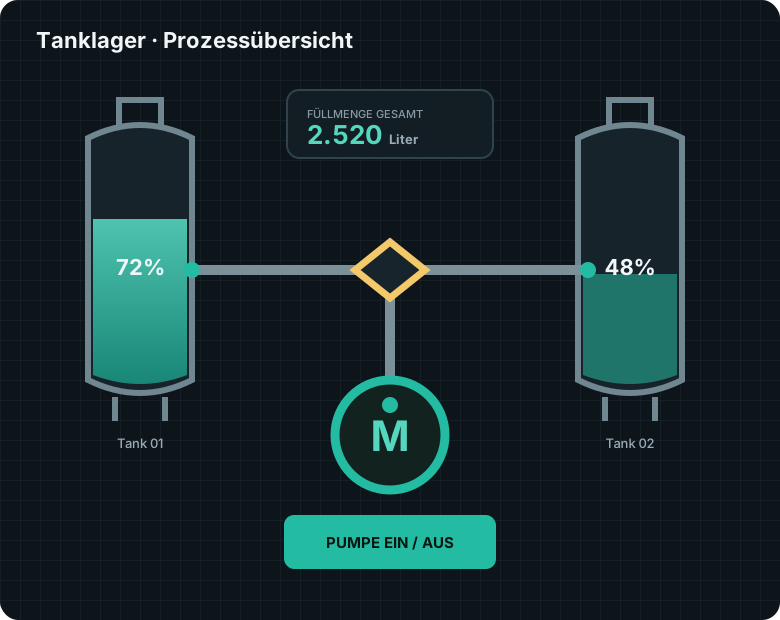
The current build brings configuration, operation, communication, documentation and access control together in one project file.
Multi-page projects, custom runtime backgrounds, navigation and separate detail windows opened through invisible hotspots.
Grid snapping, multiple selection, resizing, rotation, layer ordering and a history of up to 100 steps.
Tabs, collapsible sections, scroll areas, frames and assigned content for larger operator screens.
Draw orthogonal multi-segment lines as a single object. Move them together and choose solid, dashed, dotted or dash-dot styles, with colors driven by process values.
Automatic assignment of 16 WORD/nibble combinations; status indicators remain upright even when equipment symbols are rotated.
Direct Modbus TCP, Siemens S7/Moka7, OPC UA and a local Connect bridge — assignable across the project and per device.
Test process screens without a PLC, scale the runtime view and then connect the same project to real devices.
Bit-based alarm definitions, a global alarm page, acknowledgement, history and CSV export of the displayed history.
Manage project-wide sets of setpoints, exchange them through CSV and transfer them to the plant with permission checks.
Record operator, alarm, user, navigation and system events together with traceable shift notes.
Configurable individual permissions, five standard roles, protected projects and automatic runtime logout.
Process reports in JSON and A4 PDF, plus an integrated PDF viewer with page navigation, zoom and printing.
Multi-curve trends with CSV export, XY position trails, bars, gauges, tables and status displays.
Custom value conversion and a shared formula library with templates for 4–20 mA signals, units and tank geometry.
Configure control in the PLC, locally on the computer or exclusively in simulation.
Interface text, object text and 16 PLC text assignments in German and seven target languages, with fallback text for missing translations.
Manage materials, minimum quantities, batches, expiry dates, reservations and movements with SQLite, MySQL/MariaDB, MS SQL or PostgreSQL.
Reserve stock, send the source and external destination to the stacker crane, and track completion, cancellation or recovery after a fault.
Generate storage locations, absolute coordinates, PLC symbols, addresses and defaults reproducibly from a few basic parameters.
Project-specific on-screen keyboard and numeric keypad for text, value and PID input in Play mode.
Standard graphics, languages, formulas, communication, alarms, recipes and documents are organized in application and project folders.
Portable .jvz files, automatic backup before each overwrite and migration of older project versions.
Additional libraries are loaded and enabled as needed. They extend the PageEditor with complete workflows as well as individual graphical objects.
Operating-hour and switching-cycle intervals, advance warnings, due dates and a traceable maintenance history for pumps, motors, valves and other equipment.
Up to 30 steps with valve and actuator masks, setpoints, waiting conditions and time limits, including recipe references and traceable sequence reports.
Materials, minimum stock, batches, expiry dates, role permissions, stock movements, external destinations and stacker-crane orders in project-based warehouse management.
Define rows, columns, levels, identifiers, grid spacing and the first absolute target position. Pamaglawe generates storage locations, target coordinates and the associated PLC symbols and address assignments.
The warehouse belongs to the project and is linked to operator permissions, PLC symbols and process sequences. Operators see the functions relevant to their roles.
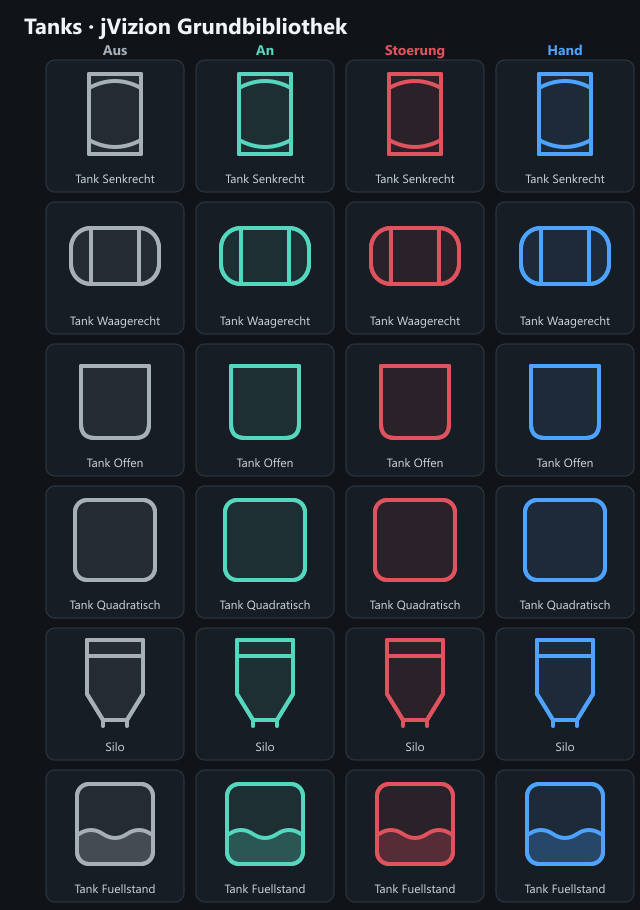
55 newly drawn base symbols in twelve categories and four clear basic states. For key equipment families, all 16 WORD/nibble combinations can also be assigned automatically.
Pamaglawe centrally manages devices, endpoints or IP addresses, symbols or NodeIds, complete PLC addresses, data types and driver assignments. Multiple drivers can be active at the same time, with a dedicated communication path for each device profile where required.
Simulation is a complete operating option: A process screen can first be tested without any plant connection and later connected to real devices using the same objects, variables and controls.
Define the page structure and grid for your process screens.
Combine standard symbols and your own graphics, and position them precisely.
Set up variables, drivers, states, alarms, recipes, permissions and conversions.
Start with simulation, then enable selected device connections and monitor their status.
Try visual configuration and local simulation. Communication drivers are not available in the demo version. Activated add-on libraries are not included.
Bring a test system to life: use value input fields to change local signals and animate linked displays in the demo. From version 2.61.515, the virtual PLC can also run automatic sequences without an external simulator. Our four-light junction example demonstrates the sequence, manual inputs and flashing amber mode. Automatic operation requires the new build; download 2.61.515 supports manual inputs only.
Extract the entire ZIP (100.9 MiB) into a separate writable folder and open PamaGlawe.exe. Java and German and English offline help are included. No separate Java installation is required. Open Help in the application or read our online demo guide. Save your first project once under its own name.
Development build for evaluation. Demo settings and help · Windows message at first launch · SHA-256 checksum
Pamaglawe is under active development. Feedback from practical use helps guide the development of features and PLC connections.